



About
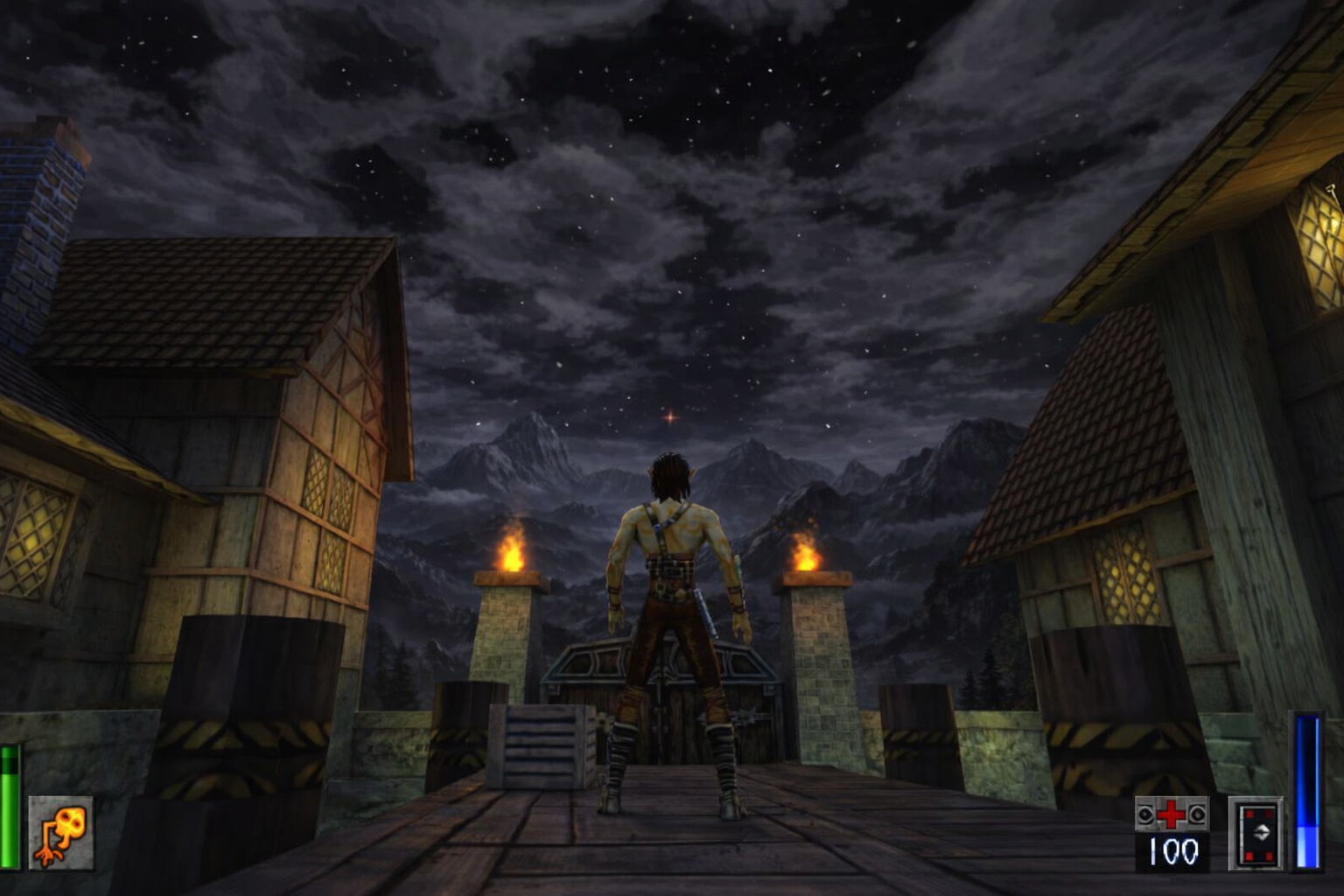
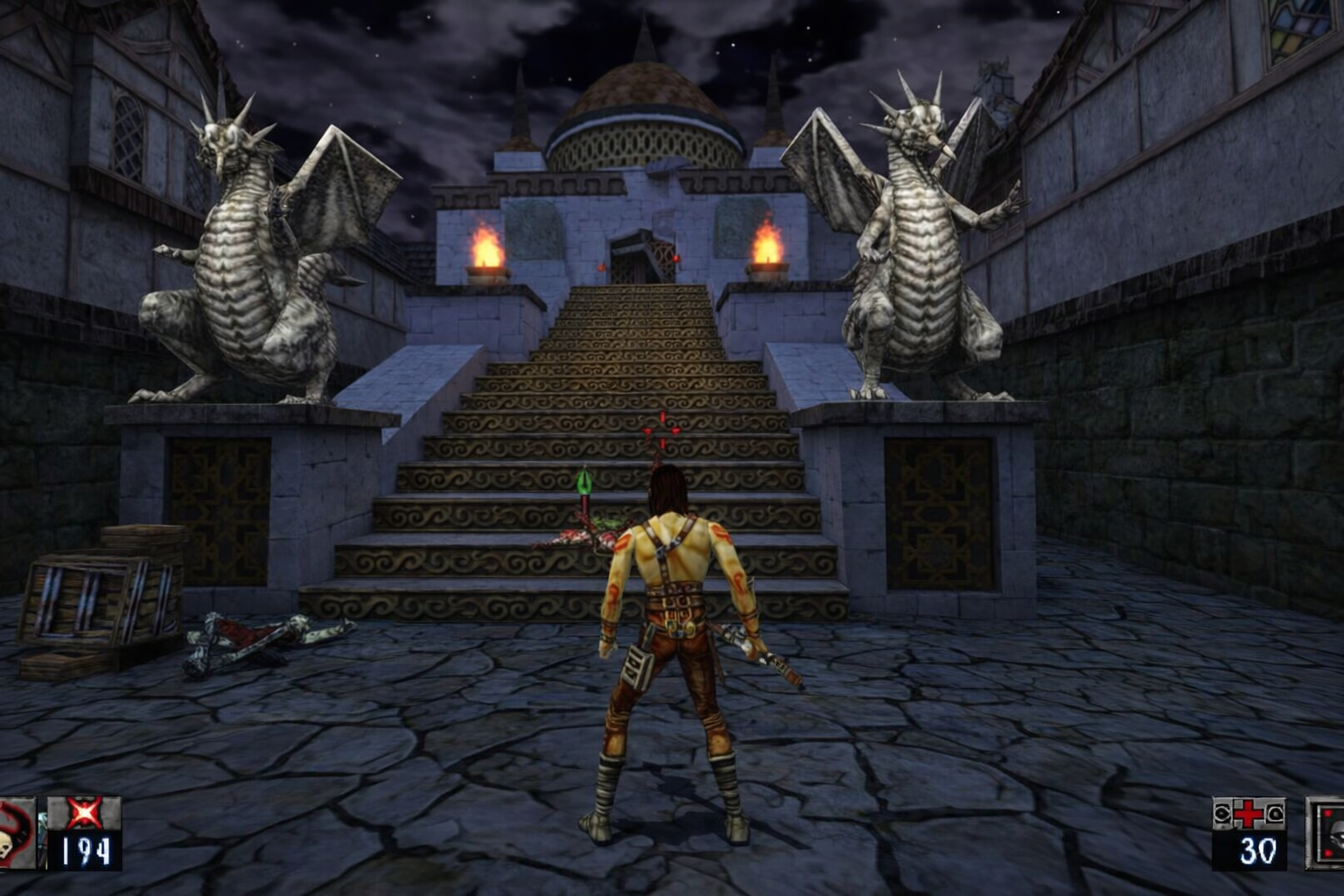
Heretic II Remastered is a reverse-engineered source port of Heretic II (1998, Raven Software), with HD enhancements and modern engine improvements. Now completely 64bit with modern game control support out of the box and automatic detection of Original game data (Steam / GOG / CD) The best way to play Heretic II now and for the forseeable future!
- Widescreen support (with automatic HUD scaling).
- Rendering framerate decoupled from network packets sending rate (with theoretical maximum of 1000 FPS).
- OGG music playback.
- Most of special effects are updated at rendering framerate (instead of 20 FPS).
- Improved map loading times.
- Lots of cosmetic improvements (so the game plays as you remember it, not as it actually played).
- Many bugfixes.
- Gamepad support via SDL3 (xinput/dinput/HID controllers).
- HiDPI / high-resolution display support.
- OpenGL 3.3 Core Profile renderer (
ref_gl3.dll). Allows support for ReShade (all latest versions) as FPO is supported with Depth Buffer (Upside down, flip to use in global preprocessor settings) - With the OpenGL 3.3 renderer, the game can run on modern Linux and macOS via Wine/Proton (untested, but should work in theory).
- Windows Media Foundation video playback backend (
winmf_video.dll) for MP4/MKV support and better performance compared to libsmacker. - stb_vorbis OGG music playback backend (
stbv_music.dll) for better performance and lower memory usage compared to libvorbis. - Dynamic Shadow Mapping — dynamic shadows for entities and world geometry, with support for alpha-tested textures (e.g. grates, fences).
- Dynamic Lighting — dynamic per-pixel lighting for entities and world geometry, with support for normal maps and specular maps in HD textures.
- Parallax Mapping — parallax mapping for world geometry, with support for height maps in HD textures.
- Bloom — bloom post-processing effect for emissive materials (e.g. lava, fire).
- Screen Space Reflections — screen space reflections for water surfaces.
- Anti-Aliasing — FXAA anti-aliasing for smoother edges.
- Configurable controls — fully customizable keybindings and gamepad mappings via in-game menu.
- Skyboxes now have dynamic stars (instead of static sky textures).
- Improved particle effects — more particles, better blending, and support for HD textures.
- Improved water rendering — animated water surfaces with reflections and refractions.
- SAO (Screen Space Ambient Occlusion) — ambient occlusion effect for better depth perception and contact shadows.
- HD texture replacement — drop-in PNG replacements for original
.m8/.m32textures via theHDTexturesfolder. - HD video playback — MP4/MKV cinematics via Windows Media Foundation.
- PAK2 archive format — extended PAK format supporting filenames up to 128 characters (see below).
base.paksupport — all game data (textures, models, sounds, music, HD textures, HD videos) can be distributed as a singlebase.pakarchive.- Automatic CD detection — if a Heretic II CD is in any CD/DVD drive, the engine automatically extracts the required PAK files (no manual copying needed).
Game data:
Heretic II Remastered requires Heretic II game data in order to run.
Automatic Installation Since R7 release, Heretic 2 Remastered can automatically find and copy the required PAK files from any copy installed on your PC through Steam, GOG or original CD installation. If it finds the required data, it will copy in the background and start as soon as it’s ready. No setup needed. In the event that it cannot find your installed copy, proceed to manual installation.
Manual Installation:
– Copy “Htic2-0.pak and Htic2-1.pak) into the base folder of Heretic II Remastered.
- Make sure you’ve downloaded the latest version of Remastered, which includes the base.pak, containing all the necessary HD textures, music OGGs, and HD videos. If you have an older version without base.pak, you can either update to the latest version or extract
base.pakfrom the latest release and place it in thebasefolder. - If you have the original game CD, the engine will automatically detect it and extract the required PAK files — see the CD Auto-Detection section below. You can also copy the files manually, but make sure to update to v1.06 as described below, otherwise the game will not work correctly because of missing models/textures/sounds.
- If you don’t have the original game CD, you can purchase Heretic II from GOG or Steam, which both include the necessary game data files. Just make sure to point Remastered to the correct
basefolder where those files are located.
HD textures:
Place PNG replacement textures in “base\HDTextures“, mirroring the original texture paths. The renderer will automatically use them in place of the original .m8/.m32 textures.
HD textures can also be loaded from base.pak.
HD videos:
Place MP4 or MKV cinematics in “base\video“. The game will play them in place of the original .cin/.smk files.
HD videos can also be loaded from base.pak.
Heretic II Remastered has full gamepad support via SDL3. Any XInput, DirectInput, or HID controller should work out of the box. Analog sticks provide smooth movement and camera control — the left stick moves, the right stick looks (swappable via joy_layout 1 for southpaw).
Names follow Xbox layout. PlayStation equivalents in parentheses.
| Button | Action |
|---|---|
| A (Cross) | Jump / Swim up |
| B (Circle) | Quick 180° turn (also Back in menus) |
| X (Square) | Interact / Use |
| Y (Triangle) | Crouch / Swim down |
| Button | Action |
|---|---|
| RT (R2) | Attack |
| LT (L2) | Defend / Block |
| RB (R1) | Next weapon |
| LB (L1) | Previous weapon |
| Button | Action |
|---|---|
| L3 | Run / Sprint |
| R3 | Creep / Sneak |
| Direction | Action |
|---|---|
| Up | Next defense |
| Down | Previous defense |
| Left | Previous weapon |
| Right | Next weapon |
| Button | Action |
|---|---|
| Start (Options) | Open / Close menu |
| Back (Select) | Open inventory |
| Stick | Default (joy_layout 0) |
Southpaw (joy_layout 1) |
|---|---|---|
| Left Stick | Movement | Camera look |
| Right Stick | Camera look | Movement |
The right stick (or left in southpaw) controls yaw and pitch with an adjustable response curve for fine-grained aiming at low deflections.
All controller settings are saved automatically and can be tuned in the console:
| Cvar | Default | Description |
|---|---|---|
joy_enable |
1 |
Enable / disable gamepad input |
joy_deadzone |
0.2 |
Stick deadzone (0.0 – 1.0) |
joy_sensitivity_yaw |
240 |
Horizontal look speed (°/sec at full deflection) |
joy_sensitivity_pitch |
150 |
Vertical look speed (°/sec at full deflection) |
joy_sensitivity_move |
1.0 |
Movement stick multiplier |
joy_trigger_threshold |
0.12 |
Trigger activation threshold |
joy_invert_y |
0 |
Invert camera Y axis |
joy_response_curve |
1.5 |
Look stick response curve exponent (1.0 = linear, higher = more precision at low deflections) |
joy_layout |
0 |
Stick layout: 0 = default, 1 = southpaw |
All buttons can be rebound via the console. The key names are:
Face:     Joy1 (A)  Joy2 (B)  Joy3 (X)  Joy4 (Y)
Bumpers:  Aux6 (LB) Aux7 (RB)
Triggers: Aux12 (LT) Aux13 (RT)
Sticks:   Aux4 (L3) Aux5 (R3)
D-pad:    Aux8 (Up) Aux9 (Down) Aux10 (Left) Aux11 (Right)
System:   Aux1 (Back) Aux3 (Start)
Example: bind Joy1 "+attack" to put attack on the A button.
Supported Platforms
Windows 10/11 (64bit)
Can be run on Steam Deck through Proton
FAQ
Why did we make this?
Becuase we love the game, and wanted to give it a modern port so new players and fans alike can experience it in a more modern way but retain the original gameplay.
What do I need to play it?
A modern PC will suffice from 2020 onwards, with Windows 10/11 or supported OS that a build is for.
How can I report a problem or suggest a feature?
Simple, email as at jake@spacefarergames.com or visit our Discord.
Do I need game files?
Yes. The game can find a installed copy of Heretic II automatically from Steam, GOG or CD copy. You can also provide the base PAK files yourself.